Know exactly
where your
gear is.
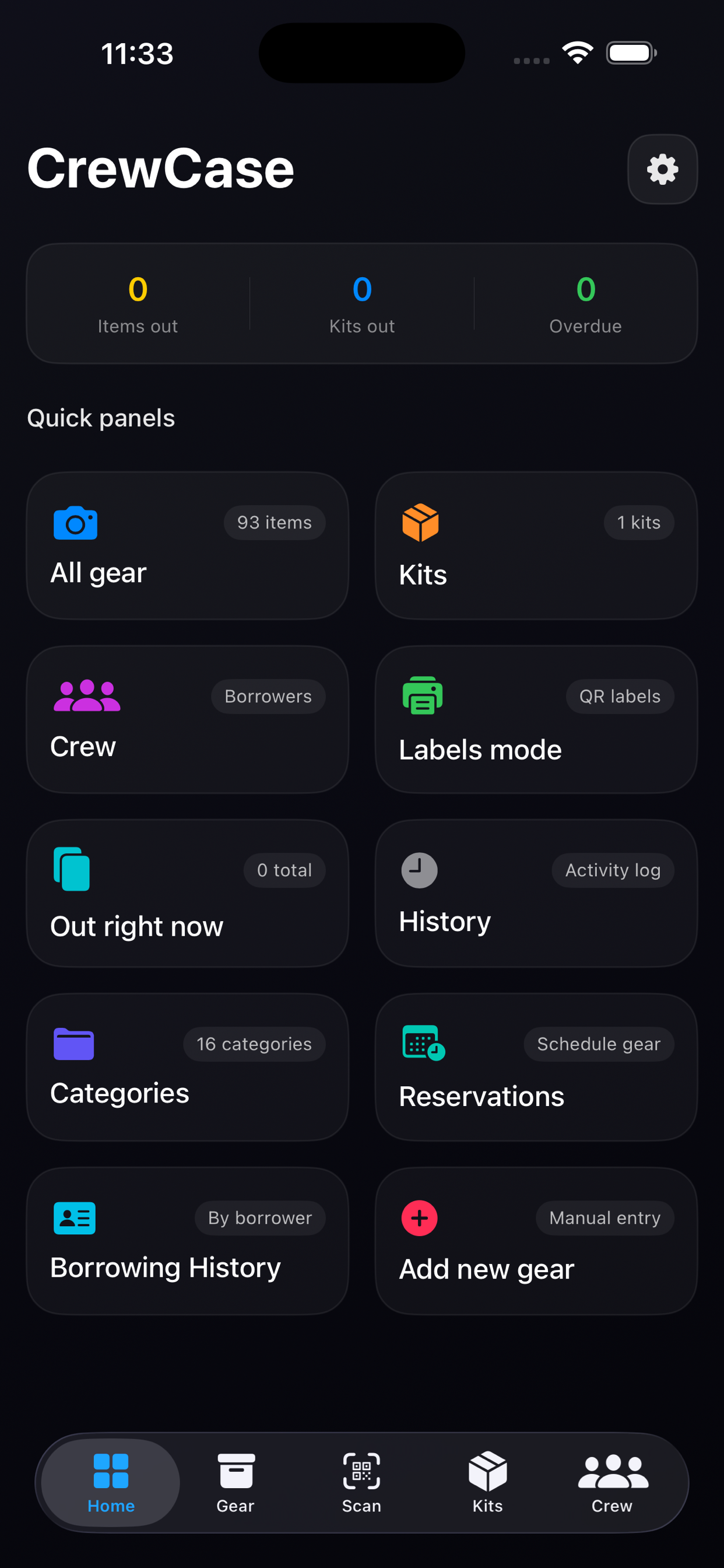
CrewCase tracks every item your crew checks out, scans QR codes in seconds, and alerts you before anything goes overdue.
CrewCase tracks every item your crew checks out, scans QR codes in seconds, and alerts you before anything goes overdue.
Every screen your crew needs
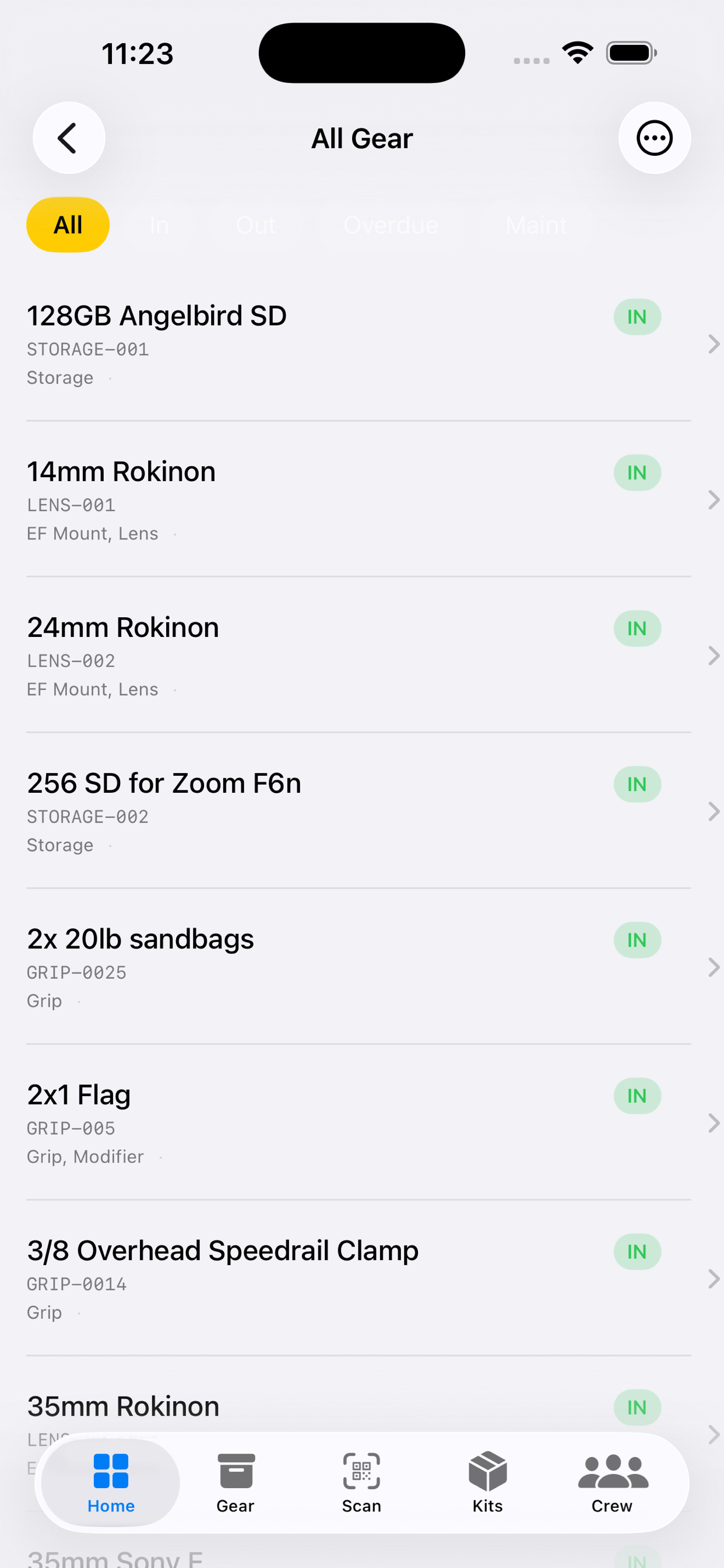
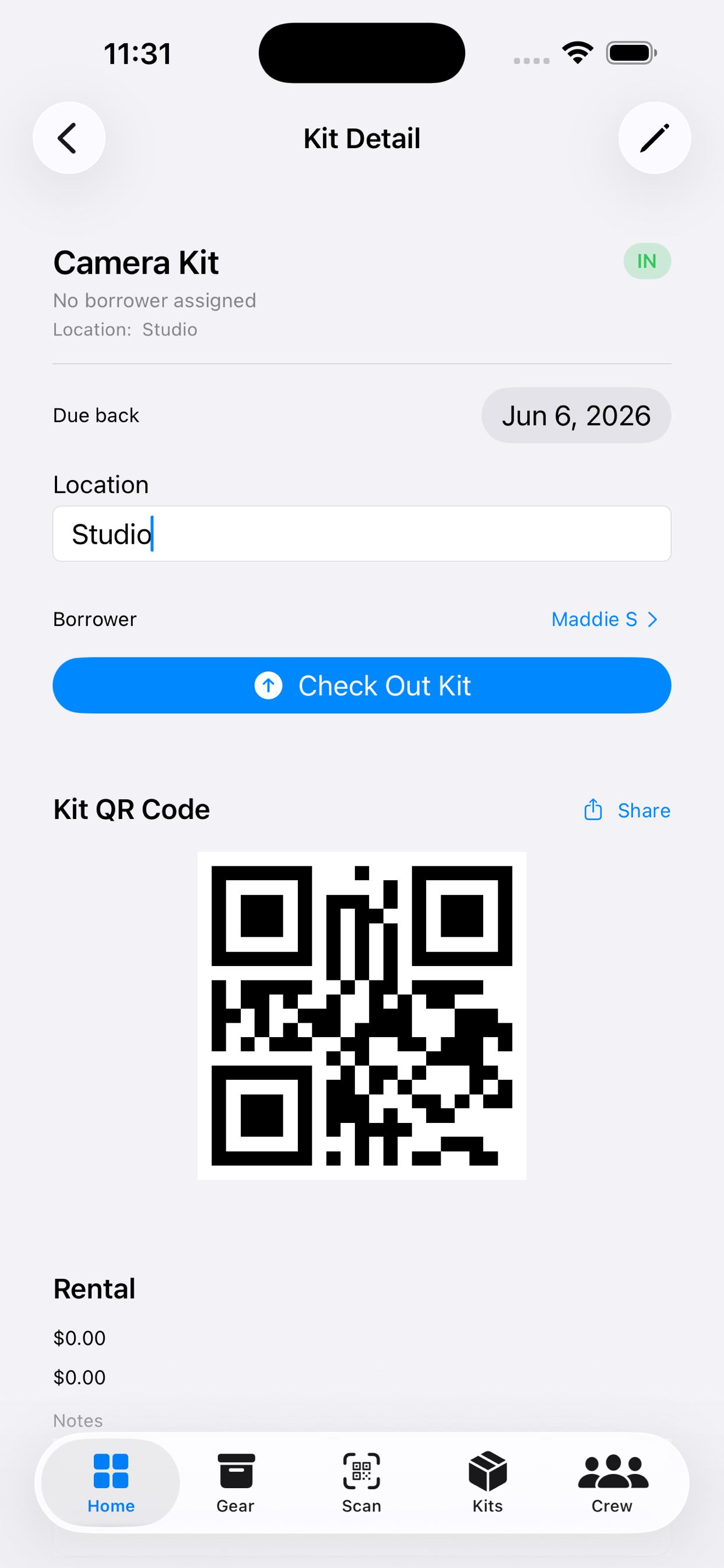
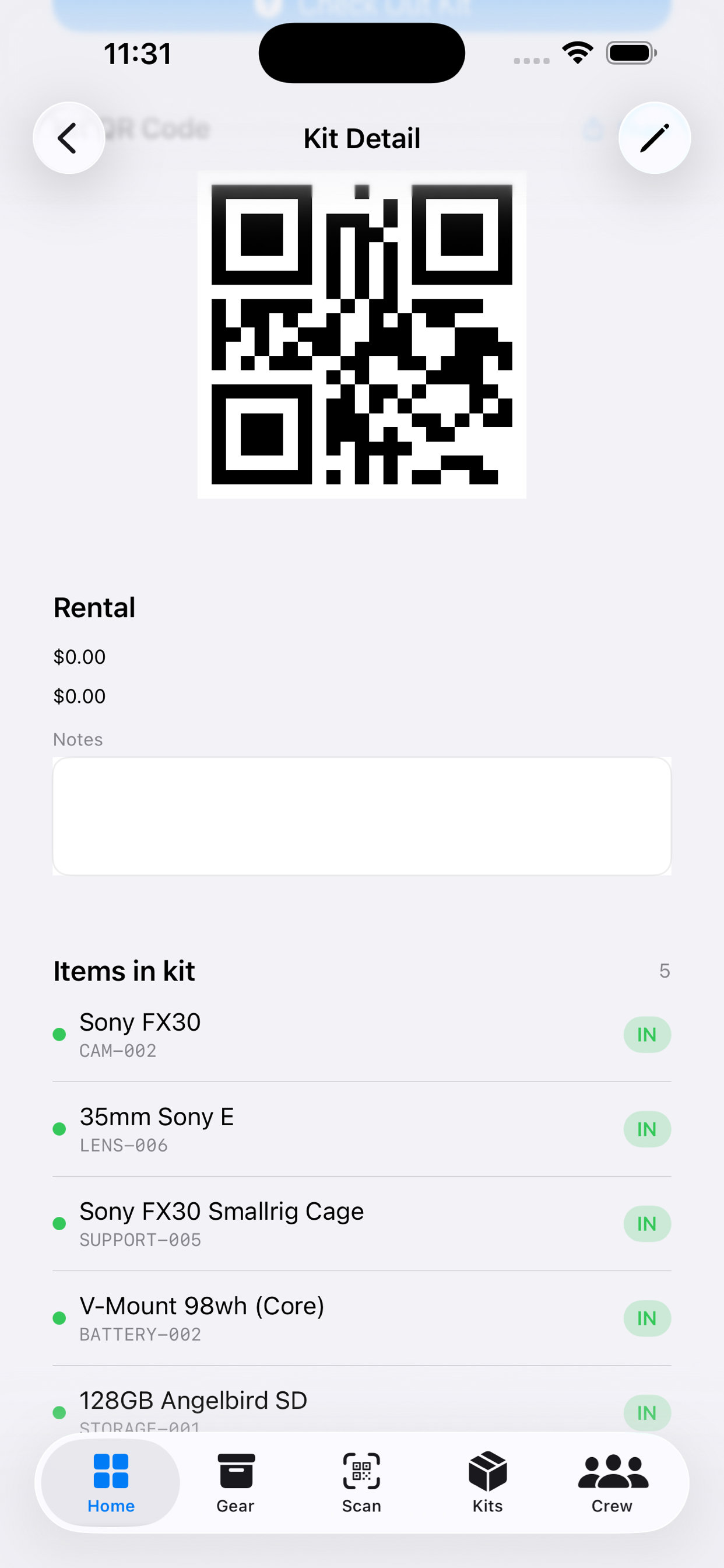
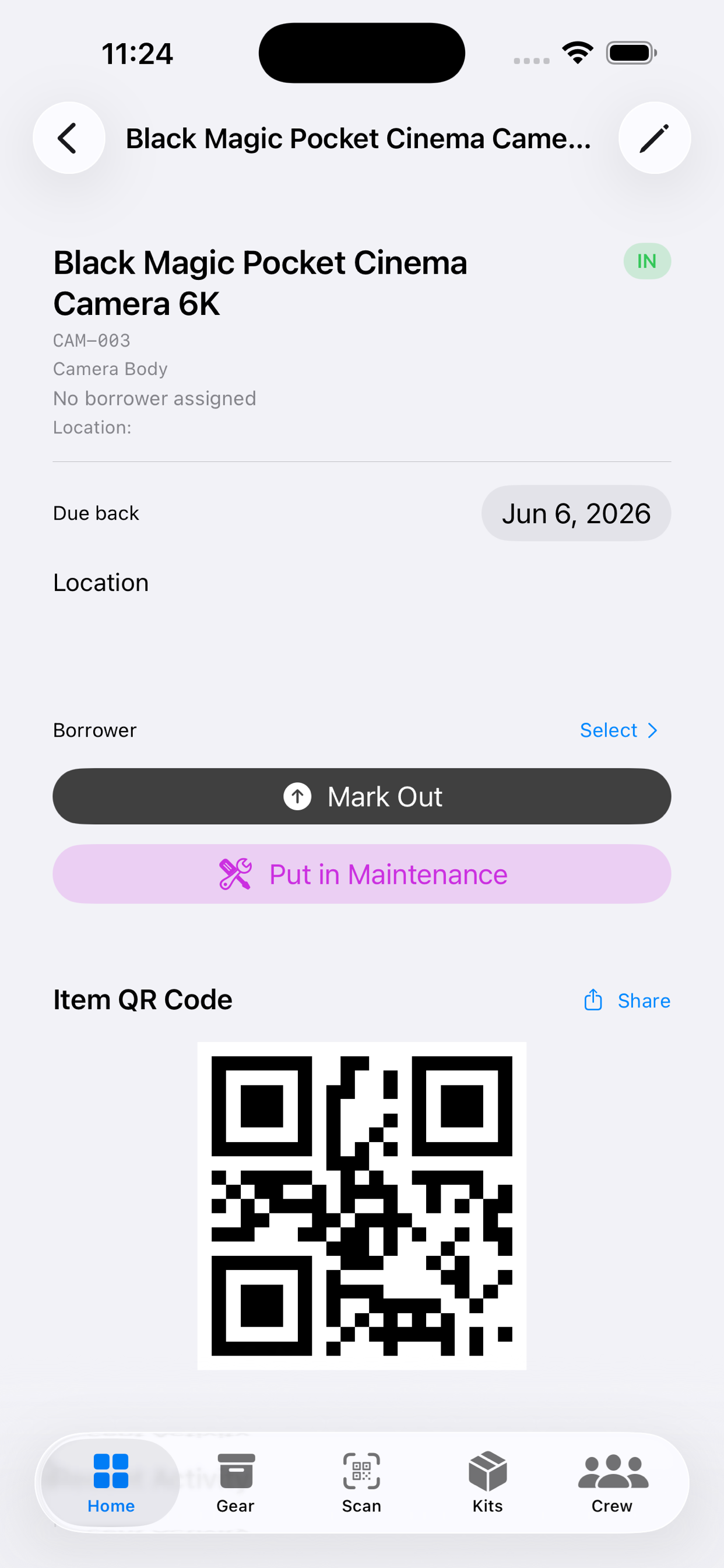
Every item has a live status badge. Tap anything to see the borrower, due date, location, serial number, and purchase value. Or scan its QR label from set to get the same screen.
One camera or a full grip truck. No spreadsheets.
Log who took what and when with a single tap. Assign any crew member, set a due-back date, and every checkout lands in the activity log automatically.
Scan any item's QR label to pull up its status and toggle IN/OUT. Print labels from the app for every piece of gear.
Daily digest notifications tell you exactly which items are overdue and who has them, before you have to go hunting the morning of your next shoot.
One iPhone app. Everything your gear room actually needs.
The home tab shows live counts of what's out, in, and overdue, plus a feed of every recent checkout and return.
Browse your full inventory with color-coded status badges on every row. Tap any item to see the borrower, due date, serial number, and value.
Bundle camera packages, sound kits, or lighting rigs into named kits. Check everything out with one tap, or scan the kit QR to return it all at once.
Open any kit to see every item inside with live status on each one. Good to check before your crew hits set.
Every item has a full checkout history: who had it, when it went out, when it came back. Serial number, purchase value, and current status, all on one screen.
Stop chasing gear at wrap
The gear room is yours again.
Bundle your Camera A package, sound kit, or lighting rig into a named kit. Assign it to a crew member and every item inside gets logged with a single scan.
Real crews tested every screen.
We had $80k of camera equipment across three locations. CrewCase was the only reason we knew where every body and lens was at the end of wrap day.
I used to chase down borrowed gear for days after a shoot. Now I scan QR codes at wrap, the app tells me exactly who still has what. Overdue alerts alone are worth it.
My student crew treated gear way more carefully once they saw their name attached to every checkout. It changed the culture on our set overnight.
No fees, no dedicated server. Your gear inventory lives on your iPhone.
CrewCase is an iPhone app for tracking gear on film and video sets. Log who has what, scan QR codes to check items in or out, set due dates, and get daily alerts when anything goes overdue.
Print a QR label from the app and stick it on each piece of gear. On set, open the Scan tab and point your camera at the label. CrewCase pulls up the item and lets you toggle it IN or OUT with one tap. No typing required.
When a checked-out item passes its due-back date, CrewCase marks it OVERDUE and sends a daily notification with every overdue item and who has it. You'll keep getting that alert every morning until it's back.
iPhone only, no Android. There's also a home screen widget that shows your live gear counts without opening the app.
Feature films, commercial shoots, documentaries, music videos, corporate video, student film. If you track gear across shoots, it'll work for you.